So here we go, very first experience lecturing in English, what a catastrophe! In my defense the audience was very peculiar, not only the guy that very started libseccomp was there, but my manager and the director of the department as well. Anxiety apart, I think it was an outstanding experience, would do it again in the future. :-)
Mostrando postagens com marcador softwarelivre. Mostrar todas as postagens
Mostrando postagens com marcador softwarelivre. Mostrar todas as postagens
sexta-feira, 9 de fevereiro de 2018
QEMU Sandboxing for dummies
DevConf is an annual conference that takes place in Brno, Czech Republic. This year I applied for a talk to go over my work that I develop since mid 2012: Security on QEMU/KVM Virtual Machines using SECCOMP. Since then I became the maintainer of this feature on QEMU and released the second and better version not long ago. On this post you'll find the slides and the full video of the presentation.
So here we go, very first experience lecturing in English, what a catastrophe! In my defense the audience was very peculiar, not only the guy that very started libseccomp was there, but my manager and the director of the department as well. Anxiety apart, I think it was an outstanding experience, would do it again in the future. :-)
So here we go, very first experience lecturing in English, what a catastrophe! In my defense the audience was very peculiar, not only the guy that very started libseccomp was there, but my manager and the director of the department as well. Anxiety apart, I think it was an outstanding experience, would do it again in the future. :-)


terça-feira, 16 de agosto de 2011
Contribute code to an Ubuntu defect with Launchpad and bzr in the RIGHT way
I am writing this post because I had to read some manuals and (wrongly) send a patch email to a mailing list to learn how to actually be able to contribute with code to an Ubuntu package. If you need detailed information, please google some official documentation. But if you just want to start coding, this is your place, here you'll find the cake recipe to do it.

- Sign up to a Launchpad account.
- The only really needed information is your username and your ssh key
- Choose a project. Ensemble, for example.
- Download the source code:
- mkdir ensemble
- cd ensemble
- bzr init
- bzr branch lp:ensemble master
- bzr branch master bug-whatever
- cd bug-whatever
- CODE! Those bugs won't get fixed itself!
- bzr commit #goto step 6, if needed
- bzr push
- Make your branch public
- Make a merge proposal
- Done!
Now go for it!
[update] another interesting documentation shared by rsalveti today: Ubuntu Packaging Guide
[update] another interesting documentation shared by rsalveti today: Ubuntu Packaging Guide
terça-feira, 9 de agosto de 2011
Enjoy old SNES games on your Xoom using PS3 controller

(image from eu, android)
Yes, that exactly what you read. Now you can play SNES games on your Motorola Xoom using your PS3 controller over bluetooth. Also, this tutorial is an adaptation from an article at Eu, Android and it's intended to be used on Ubuntu only, if you need to use the other OS, please check the original. The Linux specific information is from a cached ubuntu wiki, so I'll copy & paste the relevant part here in case it expire in the future. Right, so cut the crap and let's play! :-)
Needless to say, you must have proper root access on your device - details for brazilians here.
- Install Sixaxis Compatibility Checker, open the application, give root permissions and then a popup message will be shown telling you if your device is supported or not (hopefully yes).
- Install required libs:
$ sudo apt-get install libusb-dev libusb-0.1-4
- Compile it:
$ gcc -o sixpair sixpair.c -lusb
Before running sixpair, you'll need the bluetooth mac addr of your Xoom. The easy way to get it is installing Sixaxis Controller - don't worry, you'll need the app anyway to use the controller. The app will display a message "Local Bluetooth Adderss" with the bluetooth mac addr you'll need.
- Run sixpair with the Motorola Xoom bluetooth mac addrs you just got as a parameter:$ ./sixpair 41:f4:89:6d:41:73
- Open the Sixaxis Controller and follow the onscreen instructions - important note: You'll might need to reboot your Xoom to make it work (I had to)

NOW I WANNA PLAY!
easy... almost there
Install a neat SNES emulator, I choosed Snes9x EX. Now you have to configure your controller to map the keys the emulator uses: Go to Sixaxis Controller -> Menu -> Preferences -> Input Mapping -> 1st Controller mappings. Since I am using Snes9x EX, I set my mapping like this:
- square: A
- triangle: S
- circle: X
- cross: Z
- left: Q
- right: W
- select: SPACE
- start: ENTER
- power: HOME
This way, for example, Snes9x EX will understand that when you press square you're actually pressing A which means the Y button on a normal SNES controller. Yes, I know, confusing as hell, but works.
Now go and have fun :-D
quinta-feira, 22 de julho de 2010
FISL11 lectures presented, time to enjoy the party
Two lectures, two days, hard work and my nerves eating me alive. Not easy to speak on a such huge event like FISL. A lot of experience acquired but I am not planning to return to stage soon :) But of course, very happy to spread the word of two projects I like so much: Libvirt, which I've been working on for about two years, and DeltaCloud so young and so promissing! Here I post both of presentations. Thanks for all the comunity for the help :-)
And now time for a little fun. Watch some good lectures, get some free coffee and enjoy the cold weather :-)
sábado, 26 de junho de 2010
Otubo at FISL 11: DeltaCloud and Libvirt on the way!
Great news from the south, my two lectures were approved for the next version of FISL, International Forum of Free Software (acronym is in pt_BR). Hoooray! \o/

I've submitted two papers for the congress. One lecture is about DeltaCloud: Many Clouds. One API. No Problem. And the other one will be about Libvirt: The virtualization library. I am counting with the help of both projects maintainers in order to get a great work for the projects.
Wish me luck, hope I can make a great presentation for you all.
See you there! :-)
quarta-feira, 14 de abril de 2010
Ethernet over USB with N900 and Gentoo
Meta: It's been a while since I got my new N900. I sold my old device to Kleber and I acquired the new N900 from Etrunko, hell I wanted this gadget. This tutorial is for gentooers only, ubuntuers can connect and use it right away without any changes.

Since that date, I've been playing and hacking around this incredible device. Yesterday I was trying to debug why in hell my bloody bastard wifi connection keeps on dropping so often. Opening a terminal and checking dmesg or /var/log/messages on that tiny little screen was a pain, so I decided to try out the ethernet over usb.
You can follow all the above tutorial on a Gentoo box. The only problem I found was to find the correct modules in my kernel to load - as Gentoo doesn't behave as Ubuntu and loads the whole world in the memory. :P
So, here it is:
otubo@minivader ~ $ lsmod|grep usb
usbnet 17188 1 cdc_ether
mii 5212 1 usbnet
Find, compile (if not yet) and load these modules. These modules, with the correct udev rules will create a usb0 interface on both devices. Make sure the interfaces are configured properly to be on the same network.
That's it. Now you're able to plug you USB cable and have a full operational network with it. Enjoy! :-D
[update] DO NOT set a static mac add as said in the original tutorial. In my case, the module g_nokia didn't load just because of this.
You can follow all the above tutorial on a Gentoo box. The only problem I found was to find the correct modules in my kernel to load - as Gentoo doesn't behave as Ubuntu and loads the whole world in the memory. :P
So, here it is:
otubo@minivader ~ $ lsmod|grep usb
usbnet 17188 1 cdc_ether
mii 5212 1 usbnet
Find, compile (if not yet) and load these modules. These modules, with the correct udev rules will create a usb0 interface on both devices. Make sure the interfaces are configured properly to be on the same network.
That's it. Now you're able to plug you USB cable and have a full operational network with it. Enjoy! :-D
[update] DO NOT set a static mac add as said in the original tutorial. In my case, the module g_nokia didn't load just because of this.
terça-feira, 16 de março de 2010
otubo no Yahoo! Open Hack Day Brasil 2010
Este final de semana, 20 e 21 de março, vou participar do Yahoo! Open Hack Day. E neste eu nunca fui. O que já me agradou de primeira é o nome combinar direitinho com o clima do evento. Hack no sentido de pegar um projeto existente (ou algum que seja pensado na hora) e programar. Simples assim. Hackear o final de semana inteiro ao redor dele.


Sim, eventualmente haverão palestras e ... AH! WHO CARES? Palestra a gente baixa ou vê no youtube, juntar computeiros pessoalmente pra trocar idéias e programar não.
Nos vemos lá?
Happy hacking!
quarta-feira, 16 de dezembro de 2009
VIVO 3G using Huawei e1756 on Ubuntu 9.10 Karmic
Quick and fast tip to show a way to connect to 3G using Hawei e1756 modem on Ubuntu 9.10 Karmic.
The problem: The modem itself has a little micro-SD card reader inside and guess what? The kernel identifies it as card reader and not as a 3G modem. Good. ¬¬"
The fix: To solve this minor issue, first you have to install a tool that helps you to switch between storage device and usb serial device, the usb_modeswitch. For this just apt-install the usb-modeswitch package.
Then, modify its config file (/etc/usb_modeswitch.conf) adding the lines below:
# Huawei E1692/E1756
DefaultVendor= 0x12d1
DefaultProduct= 0x1446
TargetVendor= 0x12d1
TargetProduct= 0x140c
MessageContent="55534243000000000000000000000011060000000000000000000000000000"
CheckSuccess=5
These lines tells your usb_modeswitch that if the vendor id 0x12d1 and the product id 0x1446 are found on your usb devices, then it will be switched to product id 0x140c. It means that the usb_modeswitch will switch from storage device to 3G modem. So far so good. :)
Then we have to write a udev rule that tells the system to ignore the card reader and identify it as a 3G modem as we plug it in. Write a file named /etc/udev/rules.d/15-hauwei.rules containing these lines:
SUBSYSTEM=="block", \
ACTION=="add", \
SYSFS{idVendor}=="12d1", \
SYSFS{idProduct}=="1446", \
OPTIONS="ignore_device"
SUBSYSTEM=="usb", SYSFS{idProduct}=="1446", SYSFS{idVendor}=="12d1", RUN+="/usr/sbin/usb_modeswitch"
Your udev now will run usb_modeseitch every time you plug in an usb stick with product id and vendor id matching those values.
Restart your udev:
$ service udev restart
And now, your system should be able to identify your 3G modem. After all these done, you have to configure your NetworkManager. This last step is pretty simple and strightforward, so, I will let you handle this by yourself :)
Any problems please feedback!
[update] I wrote this post drinking wine (long story) and I completely forgot to thank Ursinha for the usb_modeswitch tip. Soooorry and thank you bro! :-)
[update 2] And it seems that NetworkManager doesn't like 3G modems, at least not now. So I had to configure some extra lines on /etc/wvdial.conf and /etc/ppp/options in order to use wvdial and connect using /dev/nail (yeah, that was a joke, there is no such a device):
otubo@minivader ~ $ cat /etc/wvdial.conf
[Dialer 3g]
; Init2 = ATQ0 V1 E1 S0=0 &C1 &D2 +FCLASS=0
Modem Type = Analog Modem
; Phone =
ISDN = 0
; Username =
Init1 = ATZ
Init2 = ATQ0 V1 E1 S0=0 &C1 &D2
; Init3 = AT+CGDCONT=1,"IP","zap.vivo.com.br"
; Password =
Modem = /dev/ttyUSB0
Baud = 921600
DialCommand = ATDT
Check Def Route = on
FlowControl = Hardware(CRTSCTS)
; Username = 1997848815@vivozap.com.br
Username = vivo
Password = vivo
Phone = *99#
Stupid mode = 1
Auto Reconnect = on
Auto DNS = on
otubo@minivader ~ $ egrep -v '#|^ *$' /etc/ppp/options
asyncmap 0
noauth
crtscts
lock
hide-password
modem
proxyarp
lcp-echo-interval 30
lcp-echo-failure 4
noipx
asyncmap 0xa0000
mru 1500
refuse-chap
ipcp-max-failure 30
Then, to connect to internet using your 3G modem you just have to run:
root@minivader:~# wvdial 3g
--> WvDial: Internet dialer version 1.60
--> Cannot get information for serial port.
--> Initializing modem.
--> Sending: ATZ
ATZ
OK
--> Sending: ATQ0 V1 E1 S0=0 &C1 &D2
ATQ0 V1 E1 S0=0 &C1 &D2
OK
--> Modem initialized.
--> Sending: ATDT*99#
--> Waiting for carrier.
ATDT*99#
CONNECT
--> Carrier detected. Starting PPP immediately.
--> Starting pppd at Thu Dec 17 20:38:52 2009
--> Pid of pppd: 3488
--> Using interface ppp0
--> local IP address 187.88.116.150
--> remote IP address 10.64.64.64
--> primary DNS address 200.142.130.202
--> secondary DNS address 200.220.227.100
And this time, special thanks to Kleber that helped me debugging that shit :-)
sexta-feira, 16 de outubro de 2009
How to connect a GPS phone to a Computer via bluetooth
A very quick post to show how these things work togheter. I connected a Nokia E71 GPS to my ThinkPad T61 running Ubuntu 9.04 Janty Jackalope using bluetooth connection. The initial idea was to use Google Earth as my main GPS screen while driving, but unfortunately I couldn't make it work *yet*.
Step 1) Going right to the point: First you need to be sure that you mobile phone exports the GPS service via bluetooth. And that's simple to get. First you must edit yout /etc/bluetooth/hcid.conf to look like this:
root@phoenix:/etc/bluetooth# cat hcid.confStep 1) Going right to the point: First you need to be sure that you mobile phone exports the GPS service via bluetooth. And that's simple to get. First you must edit yout /etc/bluetooth/hcid.conf to look like this:
#
# HCI daemon configuration file.
#
# HCId options
options {
# Automatically initialize new devices
autoinit yes;
# Security Manager mode
# none - Security manager disabled
# auto - Use local PIN for incoming connections
# user - Always ask user for a PIN
#
security none;
# Pairing mode
# none - Pairing disabled
# multi - Allow pairing with already paired devices
# once - Pair once and deny successive attempts
pairing multi;
# PIN helper
#pin_helper /usr/bin/bluepin;
# D-Bus PIN helper
#dbus_pin_helper;
}
# Default settings for HCI devices
device {
# Local device name
# %d - device id
# %h - host name
name "otubotp";
# Local device class
class 0x3e0100;
# Default packet type
#pkt_type DH1,DM1,HV1;
# Inquiry and Page scan
iscan enable; pscan enable;
# Default link mode
# none - no specific policy
# accept - always accept incoming connections
# master - become master on incoming connections,
# deny role switch on outgoing connections
lm accept;
# Default link policy
# none - no specific policy
# rswitch - allow role switch
# hold - allow hold mode
# sniff - allow sniff mode
# park - allow park mode
lp rswitch,hold,sniff,park;
# Authentication and Encryption (Security Mode 3)
#auth enable;
#encrypt enable;
}
Step 2) Restart you bluetooth daemon:
root@phoenix:~# /etc/init.d/bluetooth restart
* Stopping bluetooth [ OK ]
* Starting bluetooth [ OK ]
Step 3) Turn on the bluetooth on your phone and get ready to scan devices:
root@phoenix:~# hcitool scan
Scanning ...
00:21:FE:xx:xx:xx mycellphone
Step 4) Then, check if your phone exports GPS data via bluetooth running sdptool. In this step you need to pay attention to the Service Names and to the channel they use. We're gonna use these informations later on.
root@phoenix:~# sdptool browse 00:21:FE:F8:2F:E2
Browsing 00:21:FE:F8:2F:E2 ...
Service Name: AVRCP Target
Service Description: Audio Video Remote Control
Service Provider: Symbian Software Ltd.
Service RecHandle: 0x10000
Service Class ID List:
"AV Remote Target" (0x110c)
Protocol Descriptor List:
"L2CAP" (0x0100)
PSM: 23
"AVCTP" (0x0017)
uint16: 0x100
Profile Descriptor List:
"AV Remote" (0x110e)
Version: 0x0100
Service Name: Hands-Free Audio Gateway
Service RecHandle: 0x10004
Service Class ID List:
"Handsfree Audio Gateway" (0x111f)
"Generic Audio" (0x1203)
Protocol Descriptor List:
"L2CAP" (0x0100)
"RFCOMM" (0x0003)
Channel: 1
Language Base Attr List:
code_ISO639: 0x454e
encoding: 0x6a
base_offset: 0x100
Profile Descriptor List:
"Handsfree" (0x111e)
Version: 0x0105
Service Name: Headset Audio Gateway
Service RecHandle: 0x10005
Service Class ID List:
"Headset Audio Gateway" (0x1112)
"Generic Audio" (0x1203)
Protocol Descriptor List:
"L2CAP" (0x0100)
"RFCOMM" (0x0003)
Channel: 2
Language Base Attr List:
code_ISO639: 0x454e
encoding: 0x6a
base_offset: 0x100
Profile Descriptor List:
"Headset" (0x1108)
Version: 0x0100
Service Name: Audio Source
Service RecHandle: 0x10027
Service Class ID List:
"Audio Source" (0x110a)
Protocol Descriptor List:
"L2CAP" (0x0100)
PSM: 25
"AVDTP" (0x0019)
uint16: 0x100
Language Base Attr List:
code_ISO639: 0x454e
encoding: 0x6a
base_offset: 0x100
Profile Descriptor List:
"Advanced Audio" (0x110d)
Version: 0x0100
Service Name: AVRCP Controller
Service Description: Audio Video Remote Control
Service Provider: Symbian Software Ltd.
Service RecHandle: 0x10028
Service Class ID List:
"AV Remote" (0x110e)
Protocol Descriptor List:
"L2CAP" (0x0100)
PSM: 23
"AVCTP" (0x0017)
uint16: 0x100
Profile Descriptor List:
"AV Remote" (0x110e)
Version: 0x0100
Service Name: SyncMLClient
Service RecHandle: 0x10029
Service Class ID List:
UUID 128: 00000002-0000-1000-8000-0002ee000002
Protocol Descriptor List:
"L2CAP" (0x0100)
"RFCOMM" (0x0003)
Channel: 10
"OBEX" (0x0008)
Language Base Attr List:
code_ISO639: 0x454e
encoding: 0x6a
base_offset: 0x100
Profile Descriptor List:
"" (0x00000002-0000-1000-8000-0002ee000002)
Version: 0x0100
Service Name: OBEX File Transfer
Service RecHandle: 0x1002a
Service Class ID List:
"OBEX File Transfer" (0x1106)
Protocol Descriptor List:
"L2CAP" (0x0100)
"RFCOMM" (0x0003)
Channel: 11
"OBEX" (0x0008)
Language Base Attr List:
code_ISO639: 0x454e
encoding: 0x6a
base_offset: 0x100
Profile Descriptor List:
"OBEX File Transfer" (0x1106)
Version: 0x0100
Service Name: Nokia OBEX PC Suite Services
Service RecHandle: 0x1002b
Service Class ID List:
UUID 128: 00005005-0000-1000-8000-0002ee000001
Protocol Descriptor List:
"L2CAP" (0x0100)
"RFCOMM" (0x0003)
Channel: 12
"OBEX" (0x0008)
Language Base Attr List:
code_ISO639: 0x454e
encoding: 0x6a
base_offset: 0x100
Profile Descriptor List:
"" (0x00005005-0000-1000-8000-0002ee000001)
Version: 0x0100
Service Name: SyncML DM Client
Service RecHandle: 0x1002c
Service Class ID List:
UUID 128: 00000004-0000-1000-8000-0002ee000002
Protocol Descriptor List:
"L2CAP" (0x0100)
"RFCOMM" (0x0003)
Channel: 13
"OBEX" (0x0008)
Language Base Attr List:
code_ISO639: 0x454e
encoding: 0x6a
base_offset: 0x100
Profile Descriptor List:
"" (0x00000004-0000-1000-8000-0002ee000002)
Version: 0x0100
Service Name: Nokia SyncML Server
Service RecHandle: 0x1002e
Service Class ID List:
UUID 128: 00005601-0000-1000-8000-0002ee000001
Protocol Descriptor List:
"L2CAP" (0x0100)
"RFCOMM" (0x0003)
Channel: 14
"OBEX" (0x0008)
Language Base Attr List:
code_ISO639: 0x454e
encoding: 0x6a
base_offset: 0x100
Profile Descriptor List:
"" (0x00005601-0000-1000-8000-0002ee000001)
Version: 0x0100
Service RecHandle: 0x1002f
Protocol Descriptor List:
"L2CAP" (0x0100)
"RFCOMM" (0x0003)
Channel: 3
Service Name: Dial-Up Networking
Service RecHandle: 0x10030
Service Class ID List:
"Dialup Networking" (0x1103)
Protocol Descriptor List:
"L2CAP" (0x0100)
"RFCOMM" (0x0003)
Channel: 4
Language Base Attr List:
code_ISO639: 0x454e
encoding: 0x6a
base_offset: 0x100
Profile Descriptor List:
"Dialup Networking" (0x1103)
Version: 0x0100
Service Name: OBEX Object Push
Service RecHandle: 0x10031
Service Class ID List:
"OBEX Object Push" (0x1105)
Protocol Descriptor List:
"L2CAP" (0x0100)
"RFCOMM" (0x0003)
Channel: 9
"OBEX" (0x0008)
Language Base Attr List:
code_ISO639: 0x454e
encoding: 0x6a
base_offset: 0x100
Profile Descriptor List:
"OBEX Object Push" (0x1105)
Version: 0x0100
Service Name: Imaging
Service RecHandle: 0x10032
Service Class ID List:
"Imaging Responder" (0x111b)
Protocol Descriptor List:
"L2CAP" (0x0100)
"RFCOMM" (0x0003)
Channel: 15
"OBEX" (0x0008)
Language Base Attr List:
code_ISO639: 0x454e
encoding: 0x6a
base_offset: 0x100
Profile Descriptor List:
"Imaging" (0x111a)
Version: 0x0100
Service Name: SIM Access
Service RecHandle: 0x10033
Service Class ID List:
"SIM Access" (0x112d)
"Generic Telephony" (0x1204)
Protocol Descriptor List:
"L2CAP" (0x0100)
"RFCOMM" (0x0003)
Channel: 8
Language Base Attr List:
code_ISO639: 0x454e
encoding: 0x6a
base_offset: 0x100
Profile Descriptor List:
"SIM Access" (0x112d)
Version: 0x0101
All you need to check on this huge amount of data is something telling that you phone exports the GPS information. In the above example there is no such thing. If your phone DOES support this information go to step 5. Otherwise, install this strategic application for Symbian: ExtGSP. This little tricky app will do all the messy thing for you exporting all the GPS data over the bluetooth connection. Then re-run the sdptool command again to check. In the end you will find additional information about ExtGPS:
Service Name: Symarctic ExtGPSService Description: Share phone's built-in GPS module via Bluetooth
Service Provider: Symarctic Solutions
Service RecHandle: 0x10034
Service Class ID List:
"Serial Port" (0x1101)
Protocol Descriptor List:
"L2CAP" (0x0100)
"RFCOMM" (0x0003)
Channel: 5
Language Base Attr List:
code_ISO639: 0x656e
encoding: 0x6a
base_offset: 0x100
Step 5) Then, edit your /etc/bluetooth/rfcomm.conf and make it look like this:
root@phoenix:~# cat /etc/bluetooth/rfcomm.conf
rfcomm4 {
bind yes;
device 00:21:FE:F8:2F:E2;
channel 5;
comment "Serial Port";
}
Step 6) Once configured (and ExtGPS running on your phone) you will now open a communication channel and bind it to a local device like this:
root@phoenix:~# rfcomm connect 4
Connected /dev/rfcomm4 to 00:21:FE:F8:2F:E2 on channel 5
Press CTRL-C for hangup
Step 7) Now there's a bunch of GPS information being written on /dev/rfcomm4. In order to make a good use of it, we should grad all these information, and parse it with gpsd:
root@phoenix:~# gpsd -N /dev/rfcomm4
(-N means not to daemonize it, to see all the debug info.)
What's next? Now we have all the setup ready: Cellphone with GPS up and running, exporting information via bluetooth (using ExtGPS), connected and writing information on a local device, and a daemon grabing and parsing all the information. Good! We just need a client program to enjoy the show:
Step 8) You can use a bunch of client programs, I've tested two of them: Xgps and GpsDrive.
Xpgs is a very simple program just to make sure things are working fine. It shows the position of satelites, the current position and so on. Here is a print screen:
Step 8) You can use a bunch of client programs, I've tested two of them: Xgps and GpsDrive.
Xpgs is a very simple program just to make sure things are working fine. It shows the position of satelites, the current position and so on. Here is a print screen:

GPSDrive is more Google-Earth-like, you may track you path during a travel, check the map and so on:

Well, that's it. Hope you enjoy :)
sábado, 10 de outubro de 2009
Googe Wave, a (r)evolução da comunicação
Pois bem, eu mal ganhei convite de usuário pro Google Wave e já estou me metendo a dissertar sobre o tema. Aliás, agradecimentos ao Duda Nogueira pela cortesia :-)
Antes de sair lendo o post, devo avisar que não será nada técnico. Mas como? Simples, são apenas algumas divagações que fiz a respeito do que pode acontecer com a forma com que trocamos informações. Já aviso que para entender melhor o que vou falar, assista a palestra de lançamento daearly-release-developer-preview versão alfa no Google IO. Para facilitar a vida, posto dito ai em baixo:
Depois de ver o vídeo, surgiram alguns pensamentos aleatórios:
1) Convergência: Tudo-numa-coisa-só-conectado-ao-mesmo-tempo-agora. O conceito de email acabou, o conceito de IM acabou e o conceito de micro blogging também acabou. Agora TUDO o que circula por aí é uma wave. No fundo no fundo Google Wave serve como um proxy transparente para qualquer outro aplicativo que você queria usar. O aplicativo abstrai todos esses conceitos e mostra ao usuário o que realmente importa: A informação. Não importa se é em tempo real ou se é assíncrono, a informação está lá pra quando o usuário quiser/puder interagir.
Até aí no big deal.
2) Mobilidade: Pegue tudo isso e junte à idéia de objeto compartilhado - o que nos leva imediatamente à edição colaborativa. Agora coloque tudo isso dentro de umcelular device interessante... (pensamento viciado) ...Como por exemplo o N900. Em qualquer lugar você vai poder discutir assuntos tão facilmente quanto se estivesse em uma mesa de bar, vai poder compartilhar e mostrar suas fotos em tempo real tão fácil quanto se estivesse na sala de casa conversando com seus pais, vai poder debater o projeto da firma de forma tão simples quanto em um brainstorm, vai poder... (e por ai vai)
3) Hackers of the world, unite! Agora vem a coisa legal, a API é aberta. Vamos poder brincar de desenvolver gadgets, widgets e qualquer-coisa-dgets que quisermos pra esse brinquedo novo. Widgets que faça um parser das datas escritas no texto e diga a previsão do tempo, um bot que fale com redes IRC, um widget faça café e misto-quente-fatiado quando eu acordar, ah seila.
Pode até ser exagero meu, ok. Mas eu só cheguei nessas conclusões por dois motivos: (1) Observei a tremenda revolução que o sistema de microblog fez nos meios de comunicação e (2) assisti Wall-E umas 3 vezes. Não, nenhum entorpecente envolvido.
A conclusão (por que todo texto longo deve ter uma conclusão) é que só esperando pra ver e sacar qualé. E isso me remete a um pensamento que tive na época que trabalhava no Pukas: Quando a gente desenha uma ferramenta, esperamos que os usuários usem assim, o que não impede que os usuários a usem assado ou cozido. Que eu me recorde, blogs e microblogs aconteceu exatamente assim. Logo, só esperando pra sacar qualé mesmo.
Antes de sair lendo o post, devo avisar que não será nada técnico. Mas como? Simples, são apenas algumas divagações que fiz a respeito do que pode acontecer com a forma com que trocamos informações. Já aviso que para entender melhor o que vou falar, assista a palestra de lançamento da
Depois de ver o vídeo, surgiram alguns pensamentos aleatórios:
1) Convergência: Tudo-numa-coisa-só-conectado-ao-mesmo-tempo-agora. O conceito de email acabou, o conceito de IM acabou e o conceito de micro blogging também acabou. Agora TUDO o que circula por aí é uma wave. No fundo no fundo Google Wave serve como um proxy transparente para qualquer outro aplicativo que você queria usar. O aplicativo abstrai todos esses conceitos e mostra ao usuário o que realmente importa: A informação. Não importa se é em tempo real ou se é assíncrono, a informação está lá pra quando o usuário quiser/puder interagir.
Até aí no big deal.
2) Mobilidade: Pegue tudo isso e junte à idéia de objeto compartilhado - o que nos leva imediatamente à edição colaborativa. Agora coloque tudo isso dentro de um
3) Hackers of the world, unite! Agora vem a coisa legal, a API é aberta. Vamos poder brincar de desenvolver gadgets, widgets e qualquer-coisa-dgets que quisermos pra esse brinquedo novo. Widgets que faça um parser das datas escritas no texto e diga a previsão do tempo, um bot que fale com redes IRC, um widget faça café e misto-quente-fatiado quando eu acordar, ah seila.
Pode até ser exagero meu, ok. Mas eu só cheguei nessas conclusões por dois motivos: (1) Observei a tremenda revolução que o sistema de microblog fez nos meios de comunicação e (2) assisti Wall-E umas 3 vezes. Não, nenhum entorpecente envolvido.
A conclusão (por que todo texto longo deve ter uma conclusão) é que só esperando pra ver e sacar qualé. E isso me remete a um pensamento que tive na época que trabalhava no Pukas: Quando a gente desenha uma ferramenta, esperamos que os usuários usem assim, o que não impede que os usuários a usem assado ou cozido. Que eu me recorde, blogs e microblogs aconteceu exatamente assim. Logo, só esperando pra sacar qualé mesmo.
terça-feira, 6 de outubro de 2009
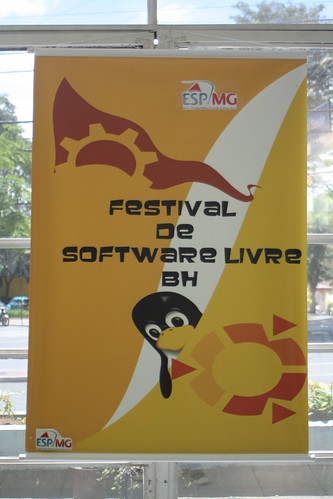
Primeiro Festival de Software Livre de Belo Horizonte
Impressionante, quase mais de uma semana depois e cá estou eu mineirando[1] um tempo livre pra conseguir escrever algumas linhas sobre o assunto.
Organização e Infra:
A organização foi bastante competente, não houve nenhum gap - ou pelo menos nenhum que eu tenha percebido. Wifi funcionando em quase 100% do evento e horários de palestras ok - exceto por uns palestrantes furões. Falando em palestrantes...
Palestras:
Ok, confesso que acordei tarde e que cheguei quase na hora do almoço no evento. Ok, *na hora do almoço*. Gastei boa parte da tarde revisando e corrigindo a minha própria palestra.
Mas uma palestra em especial merece algumas linhas a mais: Deixo aqui os parabéns ao Lamarque pela sua palestra-história-de-vida. Passou quase uma hora e meia falando de suas experiências pessoais em escrever driver de kernel, postar na LKML, ser tratorado, resolver bugs postar patches e por ai vai. Gostei disso por dois motivos claros: 1) Isso representa fortemente o espírito de nerd && computeiro - fazer a coisa funcionar por que *pode* e não por que quer provar alguma coisa ou por que alguém mandou. Pelo simples fato de estar interessado e querer resolver. 2) O conteúdo técnico pouco importava, a idéia era que "contribuir com SL não é um bixo de 9 cabeças". Vai lá, leia a documentação, fale com a galera no canal, poste e por ai vai. No fear.
 (minha palestra do vimbook - crédito: Djavan)
Falando em palestras, a minha sobre vimbook foi bem divertida. O público era bastante interessado, os exemplos funcionaram na hora e o mais importante: As minhas piadas sem graça mantiveram as pessoas acordadas mesmo depois do devastador almoço de comida mineira. Great! Piadas a parte, o que gostei mesmo foi que as pessoas ficaram interessadas no vimbook, muitos anotaram a URL, perguntaram sobre o projeto e tal. Mission accomplished feelings.
E uma coisa que eu não canso de repetir: Em eventos desse tipo, a coisa que menos importa é ficar na sala prestando atenção na palestra. O networking no boteco pós evento é sempre mais importante. Conhecer pessoas novas, em que trabalham, trocar idéias, links, conexões em redes sociais e por ai vai :-)
Parabéns a todos da orgzanização, palestrantes e amigos. E que venha o próximo! :-)
Algumas fotos do evento no meu flickr, no flickr do Tuliom e no picasa do Djavan.
[update] os slides da minha palestra estão aqui:
Organização e Infra:
A organização foi bastante competente, não houve nenhum gap - ou pelo menos nenhum que eu tenha percebido. Wifi funcionando em quase 100% do evento e horários de palestras ok - exceto por uns palestrantes furões. Falando em palestrantes...
Palestras:
Ok, confesso que acordei tarde e que cheguei quase na hora do almoço no evento. Ok, *na hora do almoço*. Gastei boa parte da tarde revisando e corrigindo a minha própria palestra.
Mas uma palestra em especial merece algumas linhas a mais: Deixo aqui os parabéns ao Lamarque pela sua palestra-história-de-vida. Passou quase uma hora e meia falando de suas experiências pessoais em escrever driver de kernel, postar na LKML, ser tratorado, resolver bugs postar patches e por ai vai. Gostei disso por dois motivos claros: 1) Isso representa fortemente o espírito de nerd && computeiro - fazer a coisa funcionar por que *pode* e não por que quer provar alguma coisa ou por que alguém mandou. Pelo simples fato de estar interessado e querer resolver. 2) O conteúdo técnico pouco importava, a idéia era que "contribuir com SL não é um bixo de 9 cabeças". Vai lá, leia a documentação, fale com a galera no canal, poste e por ai vai. No fear.

Falando em palestras, a minha sobre vimbook foi bem divertida. O público era bastante interessado, os exemplos funcionaram na hora e o mais importante: As minhas piadas sem graça mantiveram as pessoas acordadas mesmo depois do devastador almoço de comida mineira. Great! Piadas a parte, o que gostei mesmo foi que as pessoas ficaram interessadas no vimbook, muitos anotaram a URL, perguntaram sobre o projeto e tal. Mission accomplished feelings.
E uma coisa que eu não canso de repetir: Em eventos desse tipo, a coisa que menos importa é ficar na sala prestando atenção na palestra. O networking no boteco pós evento é sempre mais importante. Conhecer pessoas novas, em que trabalham, trocar idéias, links, conexões em redes sociais e por ai vai :-)
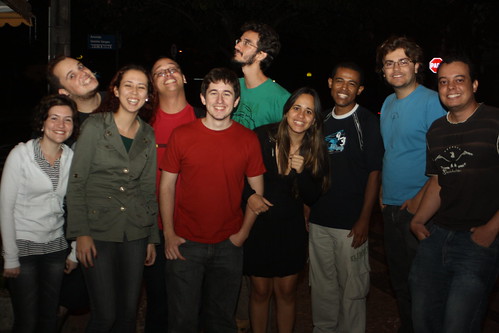
Parabéns a todos da orgzanização, palestrantes e amigos. E que venha o próximo! :-)
Algumas fotos do evento no meu flickr, no flickr do Tuliom e no picasa do Djavan.
[update] os slides da minha palestra estão aqui:
[1] - Ahn?! Ahn?! Entendeu?!
quinta-feira, 24 de setembro de 2009
Otubo no 1o Festival de Software Livre de BH
Bem, é isso mesmo que vocês viram. Virei um pop-star e agora dou palestra pelo mundo todo. Sério? Lógico que não. A verdade é que conheci um pessoal muito bacana de BH no FISL10, eles elaboraram um evento muito legal e abriram para chamada de trabalhos. Pensei: Pô! Taí uma oportunidade de divulgar o Vimbook! Voilá, amanhã embarcarei às 20h pra terrinha do pão de queijo pra falar um pouco de Vim pra moçada de Software Livre de Belo Horizonte :)
Link para o evento: Primeiro Festival de Software Livre de Belo Horizonte
segunda-feira, 29 de junho de 2009
FISL10, visão geral
Este é o segundo e último post da série de reviews sobre o FISL, o primeiro está aqui.

Qualidade e variedade de palestras:
FISL teve algumas palestras com alguns assuntos batidos demais, de cabeça, "Por que Python?" é de cara um deles. Eu acredito mesmo que já está na hora de dar um shift nessas idéias. Já sabemos que software livre da certo sim, já sabemos a impotrância do conhecimento livre e já sabemos que compartilhar conteúdo na internet não é crime - pra essas coisas qualquer um não-recém-chegado ao mundo do software livre pode explicar, não precisa de uma palestra de 40min.
Outro ponto levantado em algumas discussões é sobre o nível das palestras: "Assuntos pops atraem newbas e a qualidade do evento cai." - autores dessa opinião, nada pessoal, eu sei que vocês vão ler esse post, opinem ai em baixo e me corrijam se eu falei alguma besteira :D. Mas pô, peraí. Isso eu já acho um pensamento meio elitista. O evento deve atingir todos os níveis de conhecimento, certo? Mesmo por que, quem consegue dar uma palestra mega-boga profunda em 40min? Assisti à todas as palestras sobre virtualização e algumas sobre kernel e até as sobre kernel foram de certa forma simples e puderam ser compreendidas por seres humanos. Acho que a idéia é essa mesmo, cada vez mais atrair mais gente, espalhar conhecimento, ganhar adeptos e tal. O nível das palestras (IMHO) foi razoavelmente bem distribuido. Mesmo por que - e isso eu digo sempre - conhecimento técnico a gente adquire no google, em salas de IRC e batendo a cara no computador madrugada a fora. Palestra é pra você conhecer o tema, pegar uma ou duas URLs pra começar a estudar, só isso. :)
Escolha dos temas:
Isso sim foi um bocado tenso. A escolha dos temas não foi algo claro e transparente. Ficaí a dica pra um upgrade no ano que vem. Um sistema mais claro pra todo mundo acompanhar quem vai e quem fica. :)
Tirei algumas fotos do evento. Algumas delas estão no meu Flickr e outras no pool da Agência FISL (@agenciafisl) que fez uma cobertura fotográfica colaborativa do evento.
E até o próximo FISL! :)
Qualidade e variedade de palestras:
FISL teve algumas palestras com alguns assuntos batidos demais, de cabeça, "Por que Python?" é de cara um deles. Eu acredito mesmo que já está na hora de dar um shift nessas idéias. Já sabemos que software livre da certo sim, já sabemos a impotrância do conhecimento livre e já sabemos que compartilhar conteúdo na internet não é crime - pra essas coisas qualquer um não-recém-chegado ao mundo do software livre pode explicar, não precisa de uma palestra de 40min.
Outro ponto levantado em algumas discussões é sobre o nível das palestras: "Assuntos pops atraem newbas e a qualidade do evento cai." - autores dessa opinião, nada pessoal, eu sei que vocês vão ler esse post, opinem ai em baixo e me corrijam se eu falei alguma besteira :D. Mas pô, peraí. Isso eu já acho um pensamento meio elitista. O evento deve atingir todos os níveis de conhecimento, certo? Mesmo por que, quem consegue dar uma palestra mega-boga profunda em 40min? Assisti à todas as palestras sobre virtualização e algumas sobre kernel e até as sobre kernel foram de certa forma simples e puderam ser compreendidas por seres humanos. Acho que a idéia é essa mesmo, cada vez mais atrair mais gente, espalhar conhecimento, ganhar adeptos e tal. O nível das palestras (IMHO) foi razoavelmente bem distribuido. Mesmo por que - e isso eu digo sempre - conhecimento técnico a gente adquire no google, em salas de IRC e batendo a cara no computador madrugada a fora. Palestra é pra você conhecer o tema, pegar uma ou duas URLs pra começar a estudar, só isso. :)
Escolha dos temas:
Isso sim foi um bocado tenso. A escolha dos temas não foi algo claro e transparente. Ficaí a dica pra um upgrade no ano que vem. Um sistema mais claro pra todo mundo acompanhar quem vai e quem fica. :)
Tirei algumas fotos do evento. Algumas delas estão no meu Flickr e outras no pool da Agência FISL (@agenciafisl) que fez uma cobertura fotográfica colaborativa do evento.
E até o próximo FISL! :)
quarta-feira, 24 de junho de 2009
FISL10, primeiro dia
English spoken folks, this is gonna be in pt_BR only, sorry.
Primeiro dia de palestras no FISL 10: Frio, filas e internet que não funciona. Só isso. Brincadeira, tem coisas boas também.
Credenciamento para imprensa/blogs:
O primeiro dia de FISL foi marcado principalmente pela organização ruim do FISL que não dá kit para pessoas da imprensa / blog. Bem, essa separação de um crachá pra imprensa e outro para blogs já é algo que não desceu bem, principalmente hoje em dia e principalmente em se tratando de FISL. E outra, eu paguei normalmente, certo? Por que eu não posso ganhar um kit?
O kit
"Mas até a bolsa você quer?" Sim, já que o cronograma foi impresso num formato de jornal de domingo e só cabe naquela bolsa. Fora o fato que também é mais fácil de acessar durante o evento. Falando mais desse cronograma, pessoal de arquitetura de informações passou bem longe dele. Fizeram uma tabela com vários espaços em branco gerando uma tabela imensa, o que poderia ser reduzido a algo mais compacto e fácil de visualizar.
A infra
Bem a infra já não é culpa do da organização do FISL. Cheguei cedo com a Ursinha e o wireless estava redondo e navegando normal. O sinal do AP ao longo do evento é sempre bom... MAS com a chegada de todos os grupos de usuários do mundo inteiro a coisa complicou um pouco. A medida que a moçada foi chegando, vários AP's foram subindo. Meio dia e a internet já estava inavegável (essa palavra existe?). A quantidade massiva de AP's em mesmos canais estava degradando demais TODO o wireless do evento. Pronto, agora só por cabo.
DNSSEC mess
D. J. Bernstein falou de todos os problemas que a implementação do DNS atual tem. Ataques de hijacking e similares, falou do pequeno acréscimo de seguranção que o DNSSEC introduz e a quantidade de bagunça que ele faz. Falou também o quanto um AP's é vulnerável com um simples script, coisa pouca mesmo.
Redes mesh
Taí, sabe aquele problema do pagrágrafo da infra? Então, resolvido com redes mesh. Se todos os AP's fossem levantados como multiplicadores em oníssono, todo mundo ia ter internet rápida e redonda. Palestra pouco técnica, mas levantou uma bola pra galera da organização de eventos grandes (Campus Party e Encontro da Locaweb, por exemplo). Comecem a pensar, gente. (não sabe o que são redes mesh?)
OpenEmbedded
Boa palestra do Salveti sobre um framework para cross build de aplicativos. Projeto que elimina toda aquela burocracia e trabalho para a cross compilação. Só quem já trabalhou com isso sabe como é complicado a nada trivial.
Amanhã tem mais. Aliás, preciso fazer juz ao crchá que me deram. :-D
Primeiro dia de palestras no FISL 10: Frio, filas e internet que não funciona. Só isso. Brincadeira, tem coisas boas também.
Credenciamento para imprensa/blogs:
O primeiro dia de FISL foi marcado principalmente pela organização ruim do FISL que não dá kit para pessoas da imprensa / blog. Bem, essa separação de um crachá pra imprensa e outro para blogs já é algo que não desceu bem, principalmente hoje em dia e principalmente em se tratando de FISL. E outra, eu paguei normalmente, certo? Por que eu não posso ganhar um kit?
O kit
"Mas até a bolsa você quer?" Sim, já que o cronograma foi impresso num formato de jornal de domingo e só cabe naquela bolsa. Fora o fato que também é mais fácil de acessar durante o evento. Falando mais desse cronograma, pessoal de arquitetura de informações passou bem longe dele. Fizeram uma tabela com vários espaços em branco gerando uma tabela imensa, o que poderia ser reduzido a algo mais compacto e fácil de visualizar.
A infra
Bem a infra já não é culpa do da organização do FISL. Cheguei cedo com a Ursinha e o wireless estava redondo e navegando normal. O sinal do AP ao longo do evento é sempre bom... MAS com a chegada de todos os grupos de usuários do mundo inteiro a coisa complicou um pouco. A medida que a moçada foi chegando, vários AP's foram subindo. Meio dia e a internet já estava inavegável (essa palavra existe?). A quantidade massiva de AP's em mesmos canais estava degradando demais TODO o wireless do evento. Pronto, agora só por cabo.
Mas tem ponto positivo, certo? Sim, palestras.
DNSSEC mess
D. J. Bernstein falou de todos os problemas que a implementação do DNS atual tem. Ataques de hijacking e similares, falou do pequeno acréscimo de seguranção que o DNSSEC introduz e a quantidade de bagunça que ele faz. Falou também o quanto um AP's é vulnerável com um simples script, coisa pouca mesmo.
Redes mesh
Taí, sabe aquele problema do pagrágrafo da infra? Então, resolvido com redes mesh. Se todos os AP's fossem levantados como multiplicadores em oníssono, todo mundo ia ter internet rápida e redonda. Palestra pouco técnica, mas levantou uma bola pra galera da organização de eventos grandes (Campus Party e Encontro da Locaweb, por exemplo). Comecem a pensar, gente. (não sabe o que são redes mesh?)
OpenEmbedded
Boa palestra do Salveti sobre um framework para cross build de aplicativos. Projeto que elimina toda aquela burocracia e trabalho para a cross compilação. Só quem já trabalhou com isso sabe como é complicado a nada trivial.
Amanhã tem mais. Aliás, preciso fazer juz ao crchá que me deram. :-D
sexta-feira, 29 de maio de 2009
FISL is not as it used to be
meta: I started posting in english and I did not loose any readers, thank you guys ;)
Here in Brazil we have a worldwide free software conference called FISL - Forum Internacional de Software Livre (Free Software International Forum, in english). This is the first time I will be able to attend this conference and I am already facing some bad news. It's all about the way lectures were aproved, too may questions surrounding the methods on how topics were choosed (link in pt_br). Some complaining about the lack of technical lectures and other claiming for more political ones. So, here is what I think:
Here in Brazil we have a worldwide free software conference called FISL - Forum Internacional de Software Livre (Free Software International Forum, in english). This is the first time I will be able to attend this conference and I am already facing some bad news. It's all about the way lectures were aproved, too may questions surrounding the methods on how topics were choosed (link in pt_br). Some complaining about the lack of technical lectures and other claiming for more political ones. So, here is what I think:
- Technical stuff we may learn at home freaking out night away at the computer.
- Nerd events like this are just great to improve your social skills - yes we need this! Meeting new people, new free softwares iniciatives and so on.
But, int he other hand...
- There is no reson to talk about "Why free software is good" or "Why Python?". Comon guys, we can do better! Let's think a bit ahead.
While we don't find a way to put these things together in equilibrium we could just avoid some topics that had already been presented in the past. This could be a good start :)
domingo, 24 de maio de 2009
libssh-0.3 released
Meta information: I'll start posting in english. The reason is pretty simple, some folks outside Brazil started to "read" this humble webblog these days, this includes my libssh friends and some other buddies :) This also should supply this lack of posting I am facing lately - I think.
This last thursday (21st / may) libssh-0.3 was released in its brand new website! But for what libssh is used for? From the official website: "The ssh library was designed to be used by programmers needing a working SSH implementation by the mean of a library. The complete control of the client is made by the programmer. With libssh, you can remotely execute programs, transfer files, use a secure and transparent tunnel for your remote programs. With its Secure FTP implementation, you can play with remote files easily, without third-party programs others than libcrypto (from openssl)." Congratulation folks :)
This last thursday (21st / may) libssh-0.3 was released in its brand new website! But for what libssh is used for? From the official website: "The ssh library was designed to be used by programmers needing a working SSH implementation by the mean of a library. The complete control of the client is made by the programmer. With libssh, you can remotely execute programs, transfer files, use a secure and transparent tunnel for your remote programs. With its Secure FTP implementation, you can play with remote files easily, without third-party programs others than libcrypto (from openssl)." Congratulation folks :)
Check it out! Literally, I mean, the SVN repository.
quinta-feira, 30 de abril de 2009
FISL10 está chegando
Mais uma edição do FISL está chegando e nesse eu vou. Não só eu, mas a família inteira vai (@guilhermeprado, @klebersouza, @ursinha e eu). Primeiro FISL, já avisei o chefe que vou tirar os dias e depois fazer hora extra pra repor, quero aproveitar as palestras, discussões, stands e tudo que eu não vi até hoje ao vivo. Por que internet taí pra isso né? Eu nunca fui AO VIVO ao FISL, mas sempre vi as notícias, fotos e vídeos das palestras. No fundo no fundo é como todos os outros eventos técnicos, não se vai pela informação - isso a gente pode consumir depois ou até durante se for mais exigente - vai ser pelas pessoas.

Mas o que eu espero mesmo? Espero que não aconteça o que aconteceu em todos os eventos sobre internet que eu fui até agora: Eu não conhecia muita gente, conversava com meia dúzia e o principal: Internet era meu hobby e não meu trabalho. Agora eu vou estar lá! Serão computeiros, linuxeiros, camisetas engraçadas, Stallman, PirateBay e por ai vai. E a idéia é conhecer pessoas, trocar experiências, conhecer aquelas que só se conhece pela internet. Pretendo voltar a movimentar mais esse espaço e postar sobre impressões, palestras e tudo que eu achar que devo compartilhar por aqui. Aguardem. :)

Mas o que eu espero mesmo? Espero que não aconteça o que aconteceu em todos os eventos sobre internet que eu fui até agora: Eu não conhecia muita gente, conversava com meia dúzia e o principal: Internet era meu hobby e não meu trabalho. Agora eu vou estar lá! Serão computeiros, linuxeiros, camisetas engraçadas, Stallman, PirateBay e por ai vai. E a idéia é conhecer pessoas, trocar experiências, conhecer aquelas que só se conhece pela internet. Pretendo voltar a movimentar mais esse espaço e postar sobre impressões, palestras e tudo que eu achar que devo compartilhar por aqui. Aguardem. :)
quinta-feira, 8 de janeiro de 2009
Ajude a promover o grupo em torno do Livro do VIM
"VIM! Typing like a hurricane!"
Mini-paródia de Rock You Like a Hurricane dos Scorpions
Mini-paródia de Rock You Like a Hurricane dos Scorpions

Ano novo, projeto novo. Os primeiros dias de 09 nem chegaram direito ainda e eu já me meti num projeto novo e no mínimo interessante. Iniciado pelo colega (e também vim-addicted) voyeg3r, o Vimbook é um projeto de um livro opensource escrito em LaTex que tem por objetivo reunir e explicar (em claro pt_BR) comandos básicos, funções avançadas e dicas interessantes do editor mais legal que existe :-). Gosteu? Junte-se a nós e contribua! :-)
quinta-feira, 25 de setembro de 2008
otubo no Software Freedom Day, parte II
Pronto. Foi. Apresentei!


É completamente impagável ver as pessoas (aquelas que não estão dormindo, claro) com sorriso nos olhos e com fome de informação. Você fala sobre padrões abertos e custo de licença de software pra faculdade e elas respondem balançando a cabeça positivamente.
Esse foi o brainstorm:

E o resultado foi esse:
sexta-feira, 12 de setembro de 2008
[UPDATE] Otubo no Software Freedom Day
Como assim? Denovo? Parece que foi ontem que eu falei de software livre e web 2.0 lá na tão querida e saudosa Unesp-RC. Agora me chamaram no GTalk e: "Zero, que tal esse ano denovo?" Fuck! Assim eu não aguento :-)

Mas o fato é, cá estou, aceitei o convite e já decidi o tema: "Modelo de desenvolvimento de software livre". O objetivo da palestra é justamente desmistificar a idéia de software livre para os alunos. Eu bem sei que os alunos de lá tem ainda um pouco de costume de
A minha palestra será no dia 24/set. E é tudo o que eu sei :-D . Ainda não tem hotsite pra linkar, eu não sei ONDE, nem QUE HORAS... Mas sei que vai ser a noite e em Rio Claro. Se não for no campus vai ser naquele lugar onde foi ano passado que eu não lembro mais o nome.
E deixo aqui um muito obrigado pra organização da Seccomp'08 por me convidar novamente pra falar sobre software livre! É um assunto que eu gosto e passar conhecimento à frente é algo que sempre faço de muito bom grado. :-) Valeu!
Sorte pra mim!
[update: 15/set/08]
Panaggio e demais, a palestra está confirmada para dia 24/set mesmo. Pelo que conversei com a Ju, esse ano, o dia do software livre não vai ser junto com a Seccomp. Não me perguntem por que.
[update 17/09/2008]
Mais breaking news! O evento fará parte do Software Freedom Day. Evento mundial que divulga software de código aberto com palestras, workshops e mesas redondas. Woow, ta ficando cada vez mais divertido! :-)
Assinar:
Postagens (Atom)